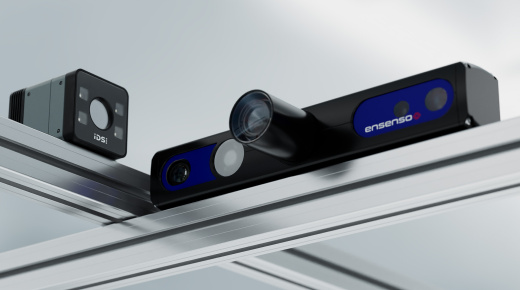
How-to set up Ensenso cameras for colour 3D imaging
Learn how to set up an Ensenso camera to capture accurate colour 3D data in just a few steps. This video walks you through the entire process, from configuring network settings and connecting your camera to optimising exposure and stereo parameters for high-quality results.
You’ll discover how to use NxView to adjust presets, apply FlexView for improved data quality, and transform the coordinate system for your application. Whether you’re working on robotics, bin picking, or industrial inspection, this guide provides practical tips for saving parameter files, reducing point cloud size, and working offline with file cameras.
Topics covered
- How to configure network settings for Ensenso cameras
- Setting exposure and colour parameters for RGB images
- Using presets and FlexView for optimal 3D quality
- Transforming the coordinate system for your workspace
- Reducing point cloud size and removing noise
- Saving and loading parameter files for offline work
Video timeline
- 00:00 - Intro
- 07:00 - Network and camera settings
- 10:05 - Coordinate system
- 08:00 - Depth system
- 13:00 - Stereo camera presets & patch match algorithm
- 15:00 - Understanding frame rate vs. quality
- 16:00 - Final settings
- 18:30 - Conclusion
Who should watch
Ideal for vision engineers, robotics developers, and system integrators looking to implement colour 3D imaging with Ensenso cameras for industrial automation and inspection.
Watch now to master Ensenso camera setup for colour 3D imaging.